20 Great Gifts for Tech-Lovers

Ideas Starting at $10 —  10 Days to Shop!

There’s a Verizon “Smart Store Plus” in my favorite Seattle shopping place—University Village. Think: Apple Store with a wide range of brands and products.

The fact that there are gobs of cool things there inspired me to put together this gift guide. You can find something for every geek on your list.

Prices were noted at the time the post was written. For specials, check this link. (Free shipping on all online orders—some items may be online only.)
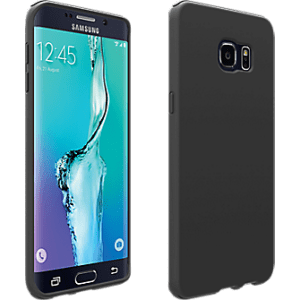

1 verizon-silicone-cover-samsung-galaxy-s-6-edge-plus-iset-samg928vmsilblk

The $10 case I bought for my S6 Edge+

1. Cases for every budget — starting at $9.99 — Do you need a case to simply protect from scuffs, or do you work in a profession where your phone takes a beating? Looking for designer bling, or do you need a “power safety net?” With myriad choices, here’s a tip: decide what’s important—brand, color, features, materials, budget—then search accordingly.

x
x

2 Micro SD Memory Card Reader and 128 GB Micro SD

San Disks come in lots of sizes

2. SanDisks — start at $12.99 — Everyone needs space! When a family member or friend finds one of these in their Christmas stocking, they’ll say, “Thanks for the Memory!” SanDisk offers a range from 32 to 128 GB. They’re useful and they make great stocking stuffers, too.

3 verizon-4-8a-vehicle-charger-white-iset-vpc48wht 5 $19.99

3. 4.8A vehicle Charger with Dual Output — (5★) $19.99 — Two is better than one, right? A vehicle charger with dual output means you can charge both your phone and tablet while you’re on the go! It has a charging indicator showing when it’s fully charged, and comes in six colors—white, blue, red, pink, black and yellow.

4 Verizon Gift Cards4. Verizon Gift Cards — From $25  — When you aren’t sure what that someone on your list wants, but you know they love tech— gift cards can be a great choice. They don’t expire, and are available for $25, $50, $75 or $100. The cards can be used online or in-store to buy things, or even be used to pay your Verizon bill.

5 Sol Republic Tracks Headphones 5 $29


5. Sol Republic Tracks Headphones — (5★) $29.98 – (70% off – reg. $99.98) — Right now Sol Republic Tracks Headphones are available online at a ridiculously inexpensive price. With convenient playback controls and phone compatibility, you’ll experience a great range of sound from base to treble. They’re highly rated and going fast!

6 Chromecast $35

6. Chromecast — $34.99 (4★) — Good things come in small packages. Chromecast is an inexpensive way to screencast—the ability to view content from your phone onto your television. It works with Android 2.3+, iOS 6.0+, Windows and Mac smartphones, tablets and laptops. Out of stock? The Belkin Miracast (4) does the same thing at $59.99, and includes an HDMI and USB cables.

7 JBL Clip+ Bluetooth Speaker

7. JBL Clip+ Bluetooth Speaker — $39.99 — Do you need to buy a great gift for a music lover who is on the go? Super light, rugged and powerful, the Clip+ includes a carabiner to attach to your backpack or clothes. Fully charged, it will provide about 5 hours of play. It has a fun, compact design and comes in five colors: red, grey, blue, purple and black. Compatible with your phone.

8 ZAGG Invisible Shield

8. Invisible Shield Privacy Glass for iPhone 6s and 6sPlus (4★) $44.99 — One of the icky things about screen protectors is, they can look smudgy. Invisible Shield’s tinted protective glass keeps prying eyes from viewing your screen via a two-way privacy filter. It also repels skin oils, so it’s easy to apply and keep clean. In fact, it’s so good that ZAGG will replace worn or damaged Invisible Shield glass for the life of your device. (Models available for other devices.)

9 Travel Rockstar $59

x
9. Belkin Travel Rockstar ­— $59.99 — 
Turn one outlet into two. As a portable power pack, the Travel Rockstar uses a built-in battery to provide 3,000 mAh to your USB-enabled device. It’s a convenient way to give your smartphone or tablet a power boost while traveling for fun or pleasure, or even on your commute.

10 LG Tone Pro Bluetooth Stereo Headset10. LG Tone Pro Bluetooth Stereo Headset — (4.5★) $59.99 Regularly $69.99 — Tone Pro has neck-behind, wireless bluetooth stereo headset with Harmon Kardon signature sound. It has a MEMS (MicroElectrical-Mechanical System) microphone, ensuring phone clarity. Enjoy up to 23 hours of standby; 16 hours of talk time; and up to 10.5 hours of music playback. Charge up to 100% in less than two hours.

11 Mophie Powerstation Plus 3 $99


11. Mophie Powerstation Plus 3x — (4★
) $99.00 — Do you know a battery daredevil? One who lets their phone battery experience near death on a daily basis? iPhone or Android compatible and true to its name—this back up battery will fully recharge your smartphone 3 times. It seems like connectors  vanish when you need them, but don’t worry with the Mophie Powerstation Plus — the connectors are built in.


12 Blue Ant Pump Mini HD Audio Sportbuds $9912. Blue Ant Pump HD Audio Sport buds MINI — $99.00 — 
The Plantronics Fit bluetooth stereo headset looked good, but this Blue Ant option was recommended at $30 less. Pump HD’s sports-inspired, sweat-proof (IP54-rated) earbuds deliver powerful audio. It delivers up to six-hours of playtime on a quick, one-hour charge. There are three sizes of the ComfortSeal ear tips, and SuperFit Stabilizers ensure a great fit.

13 FITBIT Flex Wireless Activity+Sleep Wristband 4.5 $99
13. Fitbit Charge HR — (4★)  Now  $129.99 — Regularly $149.99 — This advanced tracking wristband provides your automatic, continuous heart rate and tracks your activity right on your wrist all day, during workouts and beyond. Log your meals, track your calories, and even evaluate your sleep — now $20 off.

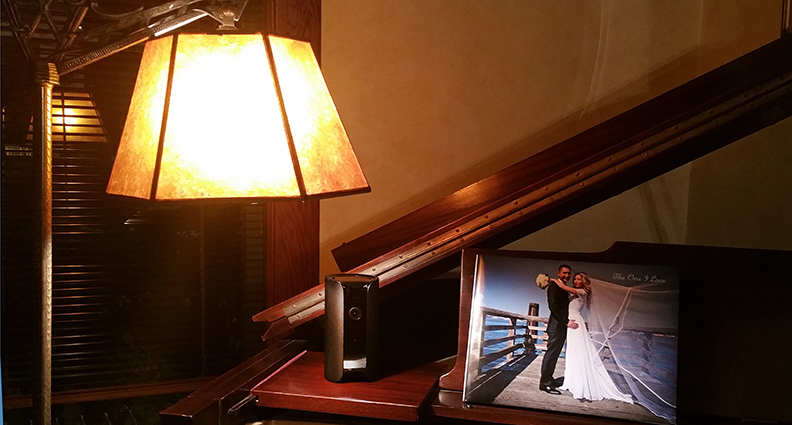
14 Canary all in one Home Security System 4 $199


14. Canary all-in-one home security system — (4★
) Now $179.99 — Regularly $249.99  — This beautifully designed home security device seems to do everything. It’s easy to set up, too. The HD wide-angle camera lets you see, hear and stream, with the option to record and store. It also monitors air quality, temperature and humidity. The sleek design is unobtrusive and makes it look more like a speaker than a camera.
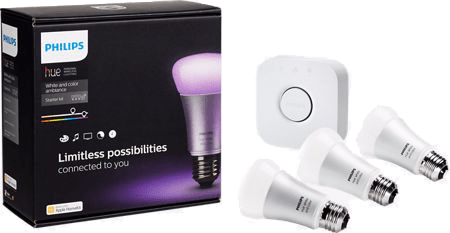
15 Philips Hue White & Color Ambiance Starter Kit $199

15. Philips Hue White & Color Ambiance Starter Kit — $199.99 — Ease into sleep; wake gently. Adjust the ambience, or make your home look occupied. Paint with light and change colors — all remotely controlled using your phone. Very nifty! The starter kit contains 3 wireless bulbs and is Apple Homekit and Nest Learning Thermostat-compatible.
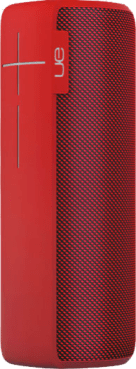
16 Ultimate Ears Megaboom 4.5 $249


16. UE Megaboom — (4.5★
) Now $249.99  — Regularly $299.99 — BOOM is right! The volume and sound quality of this UE bluetooth speaker is unreal. The cylinder-shape projects sound in all directions, allowing you to hear music at high-volume without distortion. In 2014 I found few speakers that could pair with more than one speaker. UE Megaboom lets you pair up to 8 speakers! It comes in 4 colors: red, blue, purple and black.

17 Moto260 2nd Gen Smart Watch

Love the bespoke Horween leather band. 


17. Moto360 2nd Gen Smart Watch 46mm — (4★) $329.99 — Simply beautiful. Compatible with a huge range of devices, this elegant smart watch is handsome and affordable. Moto360 comes in two sizes (42mm and 46mm), and delivers notifications from your phone via bluetooth or wifi. It’s also a fitness tracker and responds to gestures and voice commands.

18 Moto X 2nd Gen $449


18. Moto X (2nd Gen) — (4★
) $449.99** — The Moto X (2nd Gen) smartphone is beautifully designed and affordable. The 5.2-inch, 1080 HD display means visual content looks great, and its 13 MP camera can be activated with a twist of your wrist. It responds to voice commands and will even read text aloud. It has a metal frame, and you can choose genuine materials, like wood or leather, to fit your lifestyle.

19 BB-8 Droid Turbo2 4 $624


19. Droid Turbo 2 Designed By You — (4★
) $624** — Special Edition Star Wars: The Force Awakens Droid Turbo 2 is now available! I saw this device dropped from 8 feet onto a concrete slab. Not a scratch. It has the first shatterproof display and you can custom design your phone with than 1,000 combinations. It has a 5.9″1440 x 2560 display and whopping 21 MP camera! Works great with the Moto360 smart watch.

20 Galaxy S6 Edge+ 4.5 $768

20. Galaxy S6 Edge Plus — (4.5★) $768** — There are myriad reasons why this device is one of Samsung’s flagship phones. I love mine! The beautiful 5.7″ Quad HD display (2560 x 1440) is stunning, making it an amazing entertainment device. The 16 MP camera shoots video in 4K. (Read more about it here.) The S6 Edge Plus works in more than 200 countries. Ready for a splurge? This is it!


Besides a huge array of phones, gadgets and accessories, the University Village Verizon Store offers tech support, workshops and demos.

The items on this list only scratch the surface. I hope you find some gifts to help you get your holiday shopping holi-done!

★  Ratings based on consumer feedback. New items are not rated.
*  Qualcomm® Quick Charge 2.0 (5V/9V) device required.
** List price. Contract/monthly prices vary by device

Thanks to Jathan Lopez, Solutions Manager, and Specialist Calvin Li, both at the University Village Verizon Store, who contributed some of their favorites to my list.

Verizon Wireless has given me the opportunity to use some of their products.

More about Terri:

A Shooting Star

Samsung Galaxy Edge 6 Plus, Part 2

Edge6plus on Alki Shirt cropped

The S6 Edge+ on the celestial backdrop of an Alki Tee

I’m among the legion of baby boomers who have chosen iPhone for its ease of use, clean design, reliability and impeccable craftsmanship. The iPhone is a symbol of prestige, too. They’re expensive. Having the latest and greatest iPhone says, “I can afford it.”

iPhone isn’t just for boomers—it appeals to everyone. The millennials in my life, all now earning solid incomes, love their iPhones. I’ve seen a group them influence a lone Android user to switch.

So, how can an Apple fangirl learn to love “Android?” 

I’ve been using the Samsung Galaxy 6 Edge Plus (S6 Edge+) for about two months. I was able to “get on board” quickly after an initial adjustment to the user interface, and the more I use it, the more I like it.

20151029_162515_resized

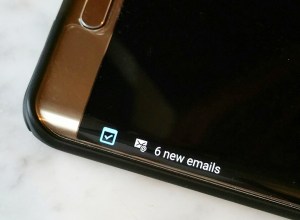
Edge notifications save your battery

I’m spoiled by some of the conveniences, like the notification feed on the S6 Edge+ screen (visible without opening my phone), or the bar along the top displaying icons for emails, messages or updates. With a simple wipe down from the top of the screen, it opens small summaries that I can select and open, or swipe out of the way.

And even the keyboard seems friendlier. I don’t have to toggle to access numbers, and emojis are easily accessible. Predictive text  is automatically on, and I like how the device seems to learn from my activity what I might say, or which hashtags I might use. Some people hate predictive text, but it works for me. If you don’t like it, you can easily disable this feature.

A great comparison of the Apple and Samsung devices can be found here.

The S6 Edge+ camera is amazing.

The image resolution on the S6 Edge+ is 16 megapixel (MP) and it shoots video in 4K.

What does 16 MP mean? 16 megapixels captures twice the amount of visual information compared to an iPhone 6. Why should you care about the “pixel depth,” or the amount of megapixels?  For one, it allows you to capture enough information so you can enlarge and crop a picture and still retain sharpness. It gives you more room to play around with the photos you shoot.

More MP also enables the image quality to be closer to the quality of film. More MP makes it possible to blow up an image and to turn into a large print or poster, retaining crispness.

The beautiful high definition display has 3.6 times more pixels than the iPhone 6.

Its clarity is stunning. When our youngest son stopped by few weeks ago, it was the first thing he noticed when he picked up and inspected the S6 Edge+.

And as I mentioned in my earlier post, the screen casting feature works fantastically! Screen casting means you can share what’s on your phone onto a smart TV. That means it’s large enough for everyone to enjoy. (How to mirror)

Edge6plus camera settings cropped

Menu of some of the options available

More great features for the taking

Object tracking autofocus will follow what you’re shooting and keep it in focus as it moves; and optical image stabilization will keep your image steady. Anyone with active kids or grandkids will really appreciate these two features when shooting video.

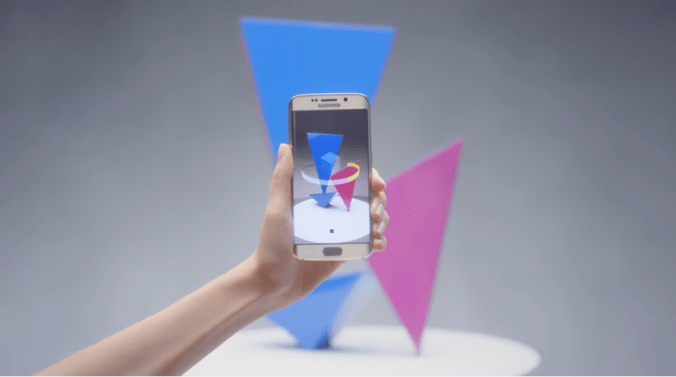
Virtual shot is cool, too. You can shoot a stationary object by circling it, and get a dimensional view of it. Wild!

Screen Shot 2015-11-30 at 1.10.57 AM.png

Virtual Shot captures an amazing 360 degree view

With the holidays quickly approaching, I’m sure some great deals can be found on the S6 Edge+. The regular retail price is $768 (slightly more than the iPhone 6s Plus at $749.99). But you get an awful lot of bang for your buck, including Samsung Pay.

Samsung Pay

You can leave your credit cards at home when you use Samsung Pay. it uses your fingerprint to identify you, so it’s very secure. It didn’t take me long to get into the habit of using it because it’s super easy and convenient. Samsung Pay is accepted by more merchants than Apple Pay. and works well with older retail credit card terminals.

It’s fun it is to see the raised eyebrows from merchants who totally don’t expect it to work. Two days ago I went into Walgreens, and the cashier tried to get me to hold the phone up against the NFC receiver. I simply held the phone over the credit card swipe area, and Voila! He just sighed and said technology is changing so quickly—it’s hard to keep up!

So I hope this post is helpful. Leave a shout here if you have questions about this device, and if I can’t answer them, I’ll find someone who can!

As Samsung says, it’s not a phone—it’s a galaxy.


Verizon Wireless has given me the opportunity to use some of their products.

More about Terri:

Experiencing Life on the Edge

David with Edge 6 Plus cropped

I think I’ve mentioned, my husband is somewhat of a neo-Luddite. So when I handed him the new Samsung Edge 6 plus (S6 Edge+) to take with him to our Randle property on AirBNB, he offered a pained expression that said, “Oh, no. This is new. I don’t like it.”

We sat down and I recorded his fingerprint before he left Seattle. He didn’t understand WHY, but went through the drill. Well acquainted with entering a password to get into a device, he thought it was pretty cool when he found out he could unlock the phone by simply using his fingerprint!

The fingerprint sensor that works so perfectly on the iPhone is now also working perfectly on the S6 Edge+! Yay! (Though it is an outstanding device, the Galaxy Note 4 fingerprint sensor was tempermental.)

There are many cool things about the S6 Edge+, which by the way, is the first Android phone I’ve used that I actually LOVE.

First, the “edge” in the name refers to the rounded sides of its elegant front face. It’s not just pretty. It feels nice in your hand. It feels luxurious.

The device feels light, but sturdy.

The “edge” on the S6 Edge+ is beautiful industrial design, but actually offers functionality. It saves power because you can access information, notifications and important contacts without drawing energy to light the entire display. The most obvious thing: the Night Clock quietly displays the date, time and battery power left in the phone. Very convenient! Also, you can set it so the edge will silently light up when messages or notifications arrive.

20151029_162515_resized

How do you read notifications along the edge? At first I didn’t think it would be practical or useful. But if you swipe your finger back and forth along the edge three times, it brings up the clock, but also offers news, comments on posts or whatever you adjust to appear in the feed—again without lighting the entire screen. Very cool!

Another great thing is the “tabs.” I set it up the “people” edge, that lists my favorite people (including family members and Reg Saddler @zaibatsu) and the “apps” edge, which currently includes Google Play Music, email, AirBNB, Instagram and my photo gallery.

People and App edge

I’ve always used iTunes for music, but at Reg’s urging a few years ago, I synced my music library with Google Play. And am I glad I did! With the Google Play “Music” app, you can set it to create a station based on a favorite song in your library. My mind was blown when it delivered a ton of great, NEW music I’d never heard before—truly stunning discoveries!

The 16MP back camera is great, and the 5MP front camera is solid. When the S6 Edge+ is asleep, simply tap the home button twice to open the camera. By clicking the arrow at the top of the screen, the in-context explanations of various features are easily understood and accessible. Tap again to collapse the information. Swipe the main screen from left to right to reveal options like pro settings, panorama mode, virtual shot, selective focus and other features, including “Live Cast.”

Similar to Meerkat or Periscope (sans social integration), Live Cast, lets you post the video to YouTube for later viewing.

Oh, and it’s easy to take a screenshot on the S6 Edge+. Just hold down the “home” and power lock keys simultaneously.

screenshot-galaxy-s6-h2

One of the most fun features is “casting.” If you have a smart TV where the phone and TV are on the same wifi network, you can play whatever you’re watching on your phone onto the TV screen. And I’ve learned you can reverse the process—having something from the TV appear on your phone. It was really fun to be in the University Village Verizon “Smart Store Plus” in Seattle, and broadcast the time lapse video of Jimmy Kimmel’s NY set being built, onto a big screen across the room.

Taking on Apple Pay, Samsung has integrated Samsung Pay into theS6 Edge+ and Galaxy Note 5. It allows you to load your debit or credit cards and use the magnetic credit card swiper on credit card terminals.

No, your phone doesn’t go through the swiper! But it magically communicates via uniquely created tokens for each transaction. At our store we have a new chip-and NFC-compatible card swiper, but Samsung Pay actually works with old-school credit card swipers, even if your phone is in an Otter Box case!

Once you’ve loaded Samsung Pay and connected a credit card, a translucent tab appears at the bottom of your home screen. At any time you can swipe up and instantly use your credit card by scanning your fingerprint.

UPDATE: 10/31/15—I used Samsung Pay at the veterinarian’s office today. They use Square. It worked FLAWLESSLY and the other animal owners in the reception area were amazed. The staff gushed, “We’ve never seen that before!” It was awesome! NOTE: it does “not” work with credit card swipers built into a keyboard or monitor—(does it, Elena?)

The S6 Edge+, with its 5.7″ screen, is a terrific entertainment device, but with its split-screen functionality, makes it a great business tool as well. Imagine being able to have two windows open, and do “live’ drag-and-drop from one window into the next. Very sweet!

There are myriad other great things about this phone. I’ve just scratched the surface, and continue to discover new features that are mind boggling. I can honestly say, as a 3-decade-plus Mac user, and dedicated iPhone user, this is a terrific device that I think many iPhone users could easily come to love. I know I have, and I’d say that even if Verizon hadn’t sent this product for me to experience.


Until November 15, 2015, you can receive a free wireless charging pad (value: $49.95), by loading Samsung Pay on your and connecting it to one payment source! I went through the process, and Samsung promptly sent an email to verify some information. It was a piece of cake!

Free Charging pad

Eligible devices include the Edge6, S6 Edge+, Galaxy Note 5, and Galaxy 6 on Verizon, ATT, T-Mobile, Sprint and US Cellular. Connectable cards include American Express; and Visa and Mastercard issued by banks listed in the above offer.

Claim Forms must be submitted by 11:59:59 PM ET on November 15, 2015 to be valid


Photos shot with the Samsung Edge 6 Plus and Samsung Galaxy Note 4. 

More about Terri:

Racing Bigfoot in the Shadow of Mount St. Helens

Joe Galioto

Imagine running a 200+ mile race in four days, over impossible terrain, with only six hours of sleep.

Some of us think our jobs feel like that!

But in fact, this is exactly what Joe Galioto did, along with 58 other athletes who completed the Bigfoot 200, an extreme endurance run that traversed Mount St. Helens in Washington State.

When Susan Galioto inquired about our AirBNB property in Lewis County, Washington, it was a head scratcher. Based in New Jersey, she wanted to reserve the house for nine days, but for about half the time, it would be empty. She then told me the reason: her husband was coming to participate in The Bigfoot 200, and for the duration of the race, he would be on or near Mount St. Helens, one of the most active volcanos in America.

I did some checking and found out some interesting facts about Bigfoot 200:

  • Just under 50,000 feet (15,240 meters) of ascent
  • More than 96,000 feet of elevation change
  • 203.8 miles long, non-stop, point-to-point
  • Start: Mount St. Helens in the Cascade Mountains; Finish: Randle, WA in the Big Bottom Valley.

When asked if there any races as long or difficult as the Bigfoot 200, race director Candice Burt responded, “Yes. There is the Tahoe 200 and Colorado 200, and other difficult races that are even longer or have extreme weather, like snow or heat. [But] it is my opinion that the Bigfoot 200 is the most difficult 200-miler in the United States.”

Prior to a reservation, it’s important to communicate with our AirBNB guests in real life or by phone. It helps us anticipate issues that may arise, but in addition, it’s a chance to get to know interesting people like Joe and Susan whom we’d otherwise never have a chance to meet. As the race time was growing closer, we nailed down the logistics of getting them the keys and directions, and I mentioned that there is no cell phone service beyond the town of Morton except for Verizon. Fortunately, like us, they were Verizon customers.

The Horsfall House is a 100 year-old farmhouse filled with a sweet spirit.

My husband, David Horsfall, and I purchased the property 25 years ago, when we realized our two young sons were growing up in the city, and had no experience playing in the woods, building fires and doing things that we did when we were kids. There are trails running through the 22 acres of forest, and there are meadows surrounding the house, which is just a few minutes from the Gifford Pinchot National Forest. It’s an easy drive to Mount Rainier and Mount St. Helens, and a great place to get acquainted with nature.

A couple of days before the race, Joe flew into Seattle, then drove two hours to Randle to familiarize himself with the area, and to train and explore. He arrived at the property on September 4th and described his first reaction:

When I first drove up the drive and parked by the house and got out of the car, I felt this incredible surge of energy and emotion, I felt like I belonged there.  Not sure if you’ve ever had an experience like this, but it is powerful.  I didn’t even go in, I just walked around the property, the house and to the shed and then finally the front porch where I entered.  It was like I was revisiting a place I had been before and I was just walking around checking to see that everything was the way I remembered.

Before I unpacked the car, I called Sue and asked if there was any way she and the boys could fly out, I knew it was crazy and far-fetched (but hey, running 205 miles in the mountains was somewhat far-fetched too) – I just felt like I was “home” and they should be there. That they would love this house and property as much as I did, and I was only there for five minutes. 

Whenever he is asked how he trains, his typical response is “run lots,” which is funny and obvious, and not far from the truth.

He is a NASM-certified personal trainer, USAC cycling coach, and RRCA running coach, but stresses that regardless of events he enters (and the required training), the needs of his family take priority.

About his preparation, Joe says,

“I make up workouts that don’t require as much time, but attempt to duplicate the same stress my body would be feeling late in a race. Additionally, strength-training, back-to-back training runs and strategic races such as the “Running with the Devil,”  hosted by the NJ Trail Series, which consists of running 1.5 miles up-and-down a ski slope for 12 hours, all play a role, but most important of all is mindset — I’m a firm believer that with the proper training and a positive mindset, you can achieve your goals.”  

Joe reached the “downtown” Randle area early Sunday morning, and as he walked fast towards the White Pass High School finish line, many people driving by slowed down to say “hello” or congratulate him. He saw the race director, Candice Burt, along with members of her team; photographers; runners who finished earlier; friends he’d met only days before — all clapping and cheering. He continued to fast-walk until the final turn. Filled with feelings of pride, euphoria and gratitude, following a grueling four-day challenge, he began to run. Arms pumping, knees high, he sprinted the last 100 meters and crossed the finish line with his hands in the air. There was never a doubt!

Before heading back to New Jersey, Joe had several hours before he needed to get to the airport. So he made a trip to Alki Surf Shop where David and I were working that day.

Selfie of Joe, Terri and David at Alki Surf Shop in Seattle, WA

Selfie of Joe, Terri and David at Alki Surf Shop in Seattle, WA

Hearing about Joe’s connection to our home, and the exhaustion, hallucinations, and pushing himself to extreme limits to reach the end, was amazing and awe-inspiring. David and I felt fortunate to meet him, and honored to play a small part in such a remarkable achievement.

The finishers:

http://www.ultralive.net/bigfoot200/webcast.php

Joe’s path:

Joe Galioto Bigfoot 200 map

A Spot satellite tracker enabled family and friends to track Joe’s progress

The course was out of cell phone range, so it was critical to be able to have a way of letting others know his location. Joe wore a Spot satellite tracker, which enabled family and friends to track his progress, and if he had needed it, provide emergency responders a way of finding him.  Each dot in the photo represented his location. If you see it on the web site, you would see tailed information (such as time of day) when mousing over the dots.

Mount St. Helens crater

Joe approached the Johnson Observation area just prior to sunset, and was treated to the beautiful sight of the Mount St. Helens crater, awash in alpenglow.

waterfall2-L_SM

Unexpected beauty along the race path

Along the Lower Falls section of the Lewis River (approximately 110 miles into the race), the view of the waterfalls was just incredible.

lavatrail2-L_SM

Traversing boulders

The first section of the race ended in Blue Lake 12 miles away, but required an awesome traverse of the Mount St. Helens’ blast zone boulder field.

11904685_477195072450384_4688282115499539193_n-L_SM

Fixed ropes to scale a steep wall

Climbing out of the canyon and heading towards Windy Pass (approximately 20 miles into the race), required the use of a fixed rope to scale the very steep incline.

11406717_10206727189195865_7586543149371867028_o-L_SM

And as for Bigfoot? He wasn’t spotted.

Photos and captions by Joe Galioto


I Lost My Android Phone! Help!

SGNOTE4- Alt_© Terri Nakamura 2015 IMG_0012

Have you ever had that sick feeling when your Android phone goes missing?

It happened to me!

After a day of work, errands and the usual rigamarole, following dinner, my husband and I settled in for an hour of TV. That’s when I process and post my Instagram photos that were shot during that day.

When I went to grab my Samsung Galaxy Note 4, it was not to be found!

Hmmm. I looked through my office, my car, and the usual places in our house, then started to quietly freak out. Where is my phone?!

Tried to call it — nothing. But I distinctly remember having it here when I got home this afternoon. Weird!

If you’ve linked your Android to Google, you’re in luck. I used the My Timeline link (https://www.google.com/maps/timeline) on Google to retrace my steps. I wanted to see where in the world my phone could be:

My Timeline August 4, 2015

It’s interesting, but a ton of people must lose their Androids. If you type “I lost my Android phone” into Google, you’ll get something like this:

I lost my Android - Google

When you sign in, Google gently urges you to have a back up phone designated to receive 2-step verification (if you’ve set it up that way)

Don't get locked out

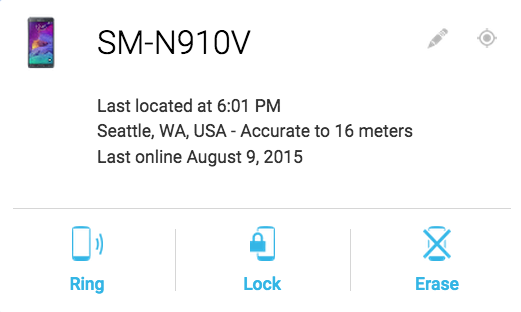
After you sign into Google with your password, Google will attempt to contact your phone. You can choose to have it can ring your phone at full volume for 5 minutes to help you find it. The only thing is, in order to do that, your phone’s battery needs to have some juice. Mine was dead, dead, dead.

So I selected the option to lock my phone, put a message on the lock screen, then changed the password. Pretty cool you can do all of this from your computer. You also have the option to erase your phone, or change the name of the device. Since I was PRETTY sure it was in my house, I didn’t want to erase the phone. I hadn’t backed up the contents for a week, so I would’ve lost some photos.

Ring, Lock, Erase

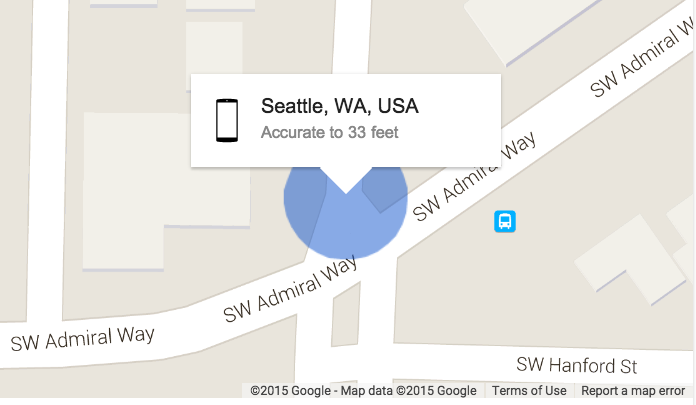
During the 3 days my phone was missing, I checked the location each day and saw that it hadn’t moved, and I also saw that the phone hadn’t been re-charged or turned on. Yep, Google can tell!

Contacting my phone

Google says the phone location is accurate to 33 feet, and it’s not kidding. So I had to believe the phone was someplace in my home. But where? I thought I’d looked everywhere.

As an added measure to make sure the phone couldn’t be used, I had Verizon suspend the service but continue billing. If you suspend service and maintain billing, there’s no penalty. But if you suspend service and billing, for each day service is suspended, you add 1 month to your current contract.  www.verizonwireless.com/support/suspend-service-faqs/

VZW suspend service

When you suspend your phone service, Verizon will send you an email verifying you’ve requested to do so. Included in the email is a link to reactivate it — super convenient!

So, how did I find my phone?

The first half of the week, after an epic run of hot weather, it had finally cooled down. So I’d been wearing black skinny jeans and black socks with my Arcopedicos.

I don’t know what other people do, but I keep my sports socks in a separate drawer.

On the day I found my phone, Seattle was back to hot, sunny weather. It was time to break out the shorts and tennis shoes! That meant I needed some low socks!

When I opened the drawer, lo and behold…

Samsung in the sock drawer © Terri Nakamura
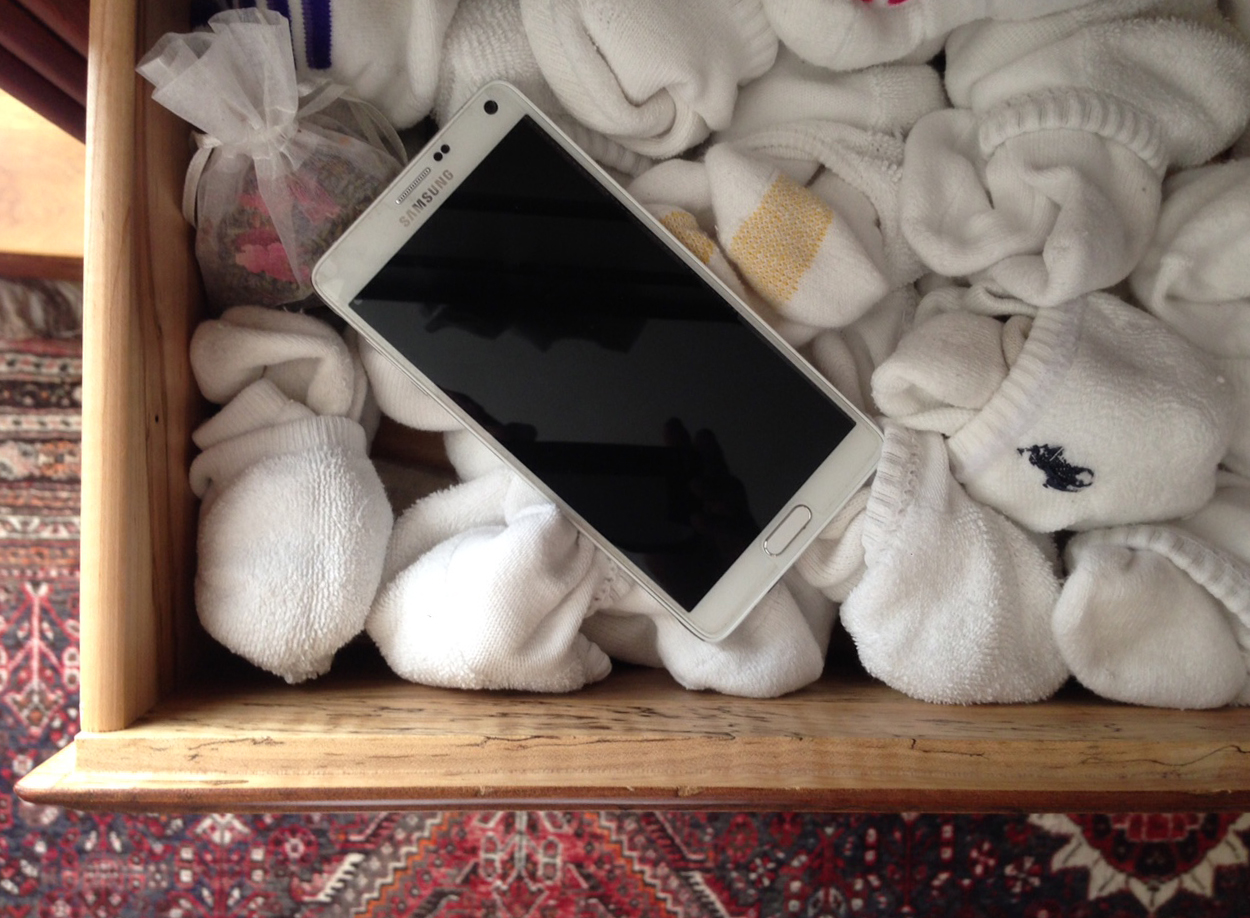
I activated the link on the Verizon email and the phone was back online in a few minutes.

It was freaky being without my Samsung Galaxy Note 4 for so long. I take it with me everywhere, because it’s the best camera I’ve seen on a smart phone.

I hope this article will help you in case you find yourself in this predicament!

Happy ending for me. I hope it is for you, too!


Alki Surf Shop: http://www.alkisurfshop.com

Terri Nakamura on Twitter: https://twitter.com/terrinakamura

Alki Surf Shop on Twitter: https://twitter.com/AlkiSurfShop

The Horsfall House on AirBNB: https://www.airbnb.com/rooms/1229224

More from Terri Nakamura: http://seattledesigner.blogspot.com/

When a Decision Doesn’t Fly

Alki Beach-June 2015-© Terri Nakamura

Everyone has, at some point, made a regretful decision. Graphic designers love it when they can hit “Command-Z” — Undo! Unfortunately, that doesn’t always fly in real life.

Which leads me to a “tail” of woe about a switch I recently came to regret. It has to do with kites. That’s right — kites.

Monarach kite composite

My husband and I have a beach store in West Seattle, right on Alki Beach and when we opened last summer, we had a great kite supplier. There was a concern, though — they were all the way in North Carolina!

Logistically, shipping merchandise from across the country means the cost of transportation must factor into the selling price. The kites were of great quality, and in spite of the freight charge, they sold well.

But it left us wondering if there was a closer supplier.images-1

We learned one of our local vendors offered kites and they were less expensive. ALSO, they gave us free shipping, which is, in the world of retail, is AWESOME! So we thought we’d give them a shot.

But their kites turned out to be cheaply made and the lack of quality reflected poorly on us, so it was back to the launch pad.

Last month when we were in Yorktown, VA, we discovered a store very similar to ours. They carried kites from our original supplier as well as a variety of kites from an Oregon company — just one state away! The Oregon kites were more expensive, but they were well made and we thought it would be cool to support another Northwest business. So we ordered some!mn1_001639

The problem is, the Oregon kites aren’t selling. They are too expensive.

Ultimately, it was like a Goldilocks déva vu — One vendor was too cheap; one was too expensive, and our first vendor was “just right.”

We had to try the others before we realized just how good we had it. Which meant a happy ending to this tale of #SwitchersRemorse.

Porridge-large

PS. As a member of a very cool team of influencers for Verizon Wireless, I received compensation to think of this story in my life, and to write about it 🙂

A tip from my friend, Sara F. HawkinsIf you switched away from Verizon and are regretting it, don’t worry. They’re making it easy for customers to come back. For more information, head over to your local Verizon store and tell them you have #SwitchersRemorse.

Screen Shot 2015-07-10 at 1.50.46 AM

A virtual tour of Alki Surf Shop:
http://on.bubb.li/274389aw5ievoklfvbnzzhi/

___________

Alki Beach photo © Terri Nakamura 2015

Porridge courtesy of Wikipedia/commons:

https://upload.wikimedia.org/wikipedia/commons/thumb/6/6e/Denslow’s_three_bears_pg_5.jpg/512px-Denslow’s_three_bears_pg_5.jpg

Alki Surf Shop: http://www.alkisurfshop.com

Terri Nakamura on Twitter: https://twitter.com/terrinakamura

Alki Surf Shop on Twitter: https://twitter.com/AlkiSurfShop

The Horsfall House on AirBNB: https://www.airbnb.com/rooms/1229224

More from Terri Nakamura: http://seattledesigner.blogspot.com/

A Canary to Tweet About

Canary blends  in with almost any environment

Canary blends in with almost any environment

A few weeks ago Verizon sent me a Canary. Not the type that eats birdseed, but a handsomely designed home security system that you control from your smart phone.

The first time I set it up at our house, it was a snap and took fewer than 10 minutes—a very different Canary appexperience from the Belkin Netcam HD Camera  we’ve been using at our store, Alki Surf Shop  in West Seattle. By simply connecting a cable between the Canary and the headphone jack of my iPhone, then following the prompts on the Canary app, it was super easy to get it up and running.

When I moved the Canary to our store, it was a different story. I was unable to get it to work because of the Comcast firewall in place there. It was disappointing because the Canary has so many great features that our Belkin is missing. The Canary support team tried to help, but at the end of the day said there was nothing they could do.

The Canary says it’s smart home security for families, renters, homeowners and travelers, grandparents, dog lovers, workaholics, and everyone in between.

But they don’t list “businesses,” and I can see why. The set up could require troubleshooting with service providers, and I didn’t have a clear indication that it could easily be resolved. It’s too bad because I could see small businesses as potentially a terrific market for them.

Both the Canary and Belkin offer:Canary in box SM 20150531_223005

  • HD Camera
  • Microphone
  • Motion detection
  • Night vision
  • Wi-fi enabled
  • Ability to record video
  • Ability to send notifications of movement

The Canary also boasts a 90+ dB siren and the ability to measure

  • Temperature
  • Humidity
  • Air quality

The Canary has a wide-angle lens that will capture a span of about 147 degrees, which is great. Also, the quality of the video is excellent. One disadvantage is, there is no way to rotate the angle of the camera, so it needs to be located on a plane that looks out into the environment from a fixed point-of-view.  We like placing our cameras up high (above eye level and out view), and it’s not possible to do that with the Canary.

Canary packaging SM 20150531_223108

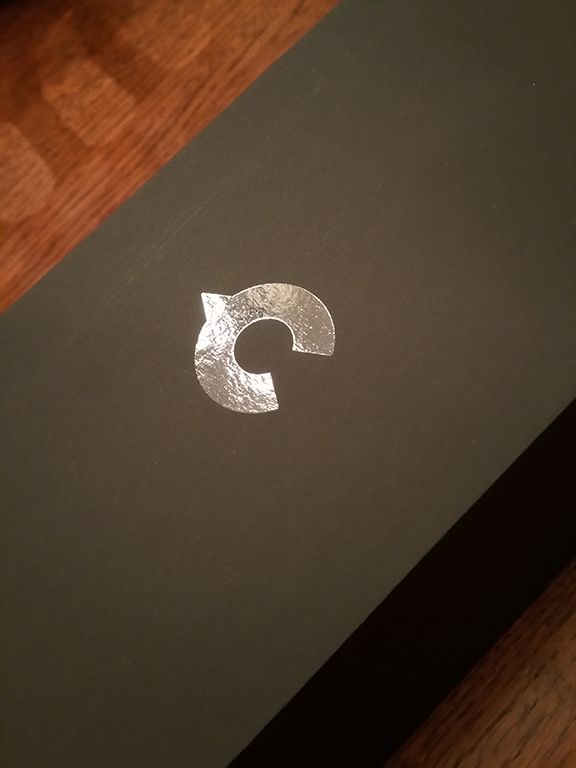
Spot UV on a dull suede-like stock

That being said, the industrial design is sleek, and speaking as a graphic designer, the packaging is sturdy and attractive. There is one superfluous layer of packaging—a clear plastic surround that I think was meant to protect the box, but isn’t always successful.

Canary is beautiful device that can seamlessly blend in on a book shelf or table. It offers users peace of mind, allowing them to see and hear what is going on in their homes/environments when they are not there. And it can be set up to alert you when there is activity.

If you’re looking for mid-range priced solution for your home, the Canary is worth a look!

UE Boom – 16 hours and counting

View of the beach from Alki Surf Shop, April 2015

View of the beach from Alki Surf Shop, April 2015

My beach bum husband and I agree, there are few things more awesome than hanging out at our store on Alki Beach while the sun is shining.

But one thing that makes it even better is listening to music that puts everyone in a great mood.

We had been using a JBL Flip 2 bluetooth speaker to pipe music out to the sidewalk. The music helps people notice us and entices them to come in. We often see people dancing on the sidewalk before making their way up the steps to our store.

Hand-painted signs on the steps

Hand-painted signs on the steps

Recently, thanks to @TheOnlineMom and #vzwbuzz, I had a chance to try out the UE Boom bluetooth speaker.

The UE Boom is fantastic!

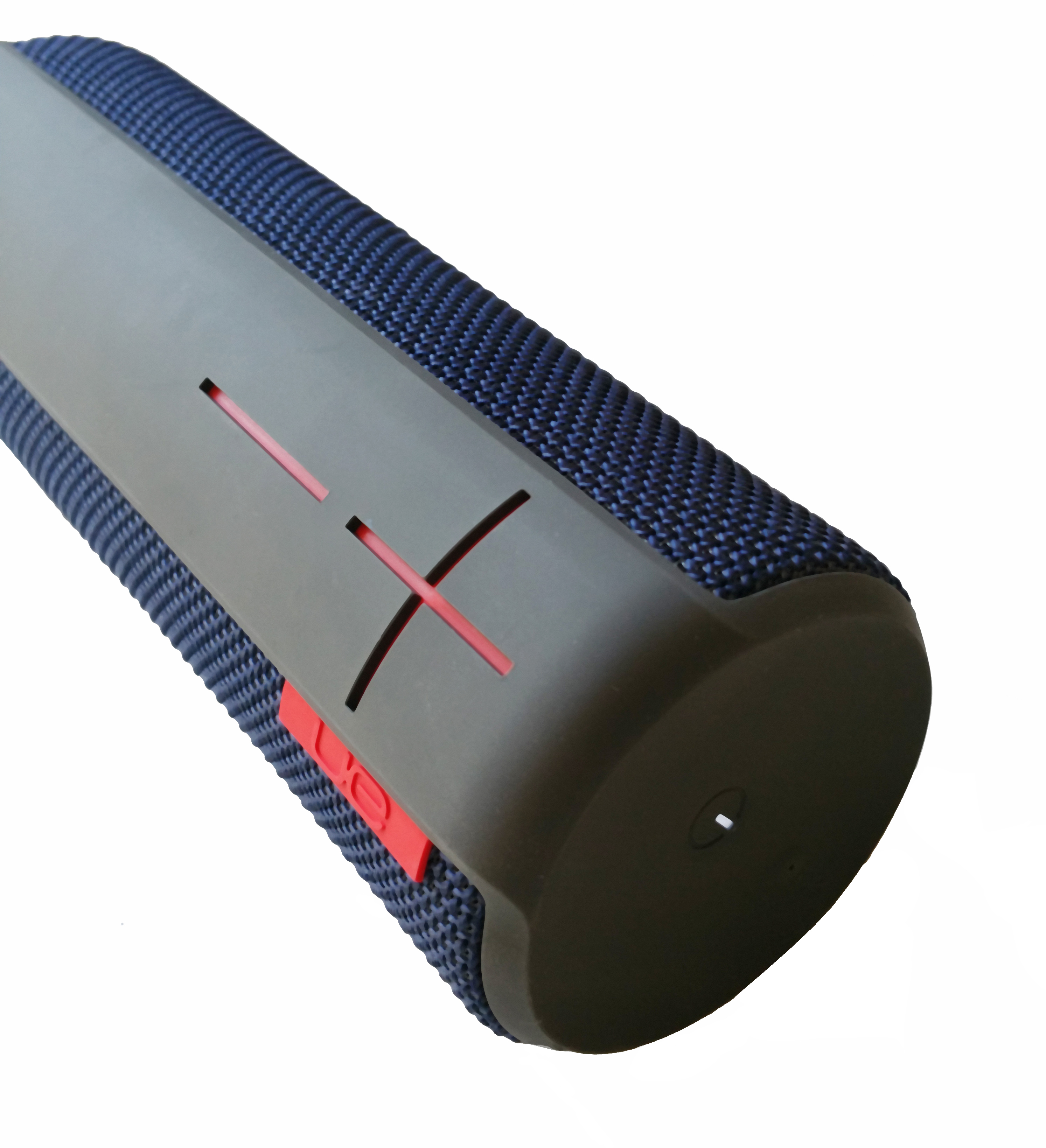
First of all, the 360° design is a cylinder of sound. There is a rich bass and clarity that makes the sound seem almost dimensional. And the capacity for delivering volume is unbelievable. IT. IS. LOUD.

The beauty of a bluetooth speaker is not having to hassle with cables and cords when pairing with a music source.  We had our JBL Flip 2 sitting on an outdoor window shelf, which worked well for its promised 5 hours of battery life.

The plus and minus signs are actual controls for the volume

The plus and minus signs are actual controls for the volume

The UE Boom says its battery lasts for 15 hours.  But, guess what? It’s not really true.

When fully charged, the UE Boom kept playing for 16 HOURS. And would probably have kept going, but I finally needed to go to sleep.

What follows is a look at the endurance test I gave the UE Booms’ battery:

9 AM The UE Boom providing the soundtrack to my work day. There is an impressive spectrum of resonant sound. (I could feel the strings vibrate at the end of “I’m Just a Girl!”)

1 PM In my car, I had to turn off my console because it seemed to interfere with the ability of the iPhone to “speak” to the UE Boom. But once I did, it filled my car with sound. I’d never thought about using a bluetooth speaker in a car before, but it made me think it could be great for people who don’t have bluetooth or USB in their cars.

1:30 PM First stop, Unified Grocers, where I had a chance to meet with Al Burleson. My iPhone and the UE Boom kept playing in my car because I wanted the speaker to be in continuous use.

2:30 PM At Alki Surf Shop, we just started selling some Aloha shirts made in Honolulu by Robert J. Clancy. So we needed a cascading arm for our slat wall as well as some nice hangers. That’s where Grand & Benedict came in. That’s where we buy our store fixtures.

3 PM When I finally arrived at Alki Surf Shop, I swapped out the JBL with the UE Boom for the next 4.5 hours until it was time to head home.

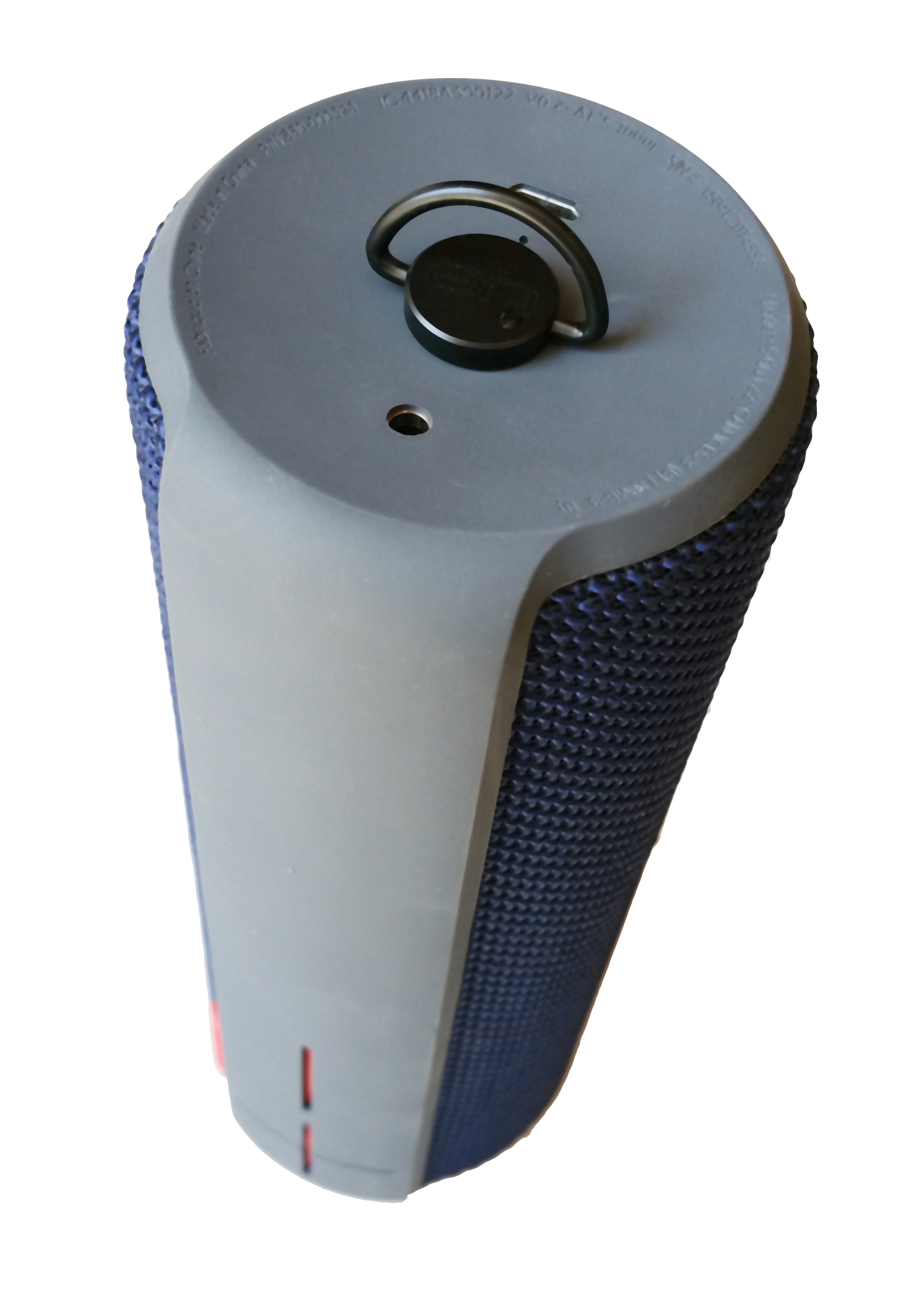
Beside amazing sound quality, the UE Boom has a handy little hanging clip on the top which I used to anchor the speaker to the window frame. That way it couldn’t accidentally fall off and hit someone below. But the clip could effectively allow you to suspend the speaker in the air, emitting sound in all directions. It’s a small but a pretty nice little feature.

The hanging option means it's possible to enjoy 360-degree sound

The hanging option means it’s possible to enjoy 360-degree sound

Another cool option is, you can pair TWO speakers to a single device. That means, if we want to pipe the same music inside the store as outside, we can. And because you can adjust the volume on the individual speakers, you have more music outside than in.

There is a “+” and “-“ on the body, which are graphic elements but also function as the volume controls. They look nice, but they are recessed from the outer surface, and I fear they could become dust collectors. They look like they’d be difficult to clean, so I covered them with a piece of clear packing tape to prevent to keep them free of debris.

7:30 PM I kept the speaker going on my way home, then kept it playing at a low volume throughout the evening.

9 PM The power light apparently turns red when the power is low. By the time I noticed it, it had been going for 12 hours.

The power light turns red when the battery is low

The power light turns red when the battery is low

2 AM I don’t know if the volume made any difference in the battery use, but after 16 hours, I was ready to call it quits. Yes, folks, it continued 16 hours, and maybe would have kept going longer if I’d let it. The UE Boom outlasted my capacity to listen!

The UE Boom is one of the most fun, utilitarian and excellent tech gadgets I’ve had a chance to use. It’s twice as expensive as the JBL, but clearly you get more than three times the speaker. If I’d known about it when I was shopping for a speaker, I would’ve gladly paid the difference. If you’re in the market for a bluetooth speaker, the UE Boom is worth every cent.


Alki Surf Shop: http://alkisurfshop.com/

Terri Nakamura: https://twitter.com/terrinakamura

*vzwbuzz is the social media hashtag used by Verizon Wireless.

Streams of Consciousness

This image was found, unattributed, on an Instagram feed. The original photographer is  Magdalena Wasiczek. http://www.popphoto.com/photos/2013/09/behind-photos-magda-wasiczeks-surreal-floralscapes

This image was found, unattributed, on an Instagram feed. It had 223 likes at the moment I took this screen shot. The original photographer is Magdalena Wasiczek. http://www.popphoto.com/photos/2013/09/behind-photos-magda-wasiczeks-surreal-floralscapes

Or, How Instagram morphed into a Tumblr blog

When I first started using Instagram four years ago, it was a cool photo-sharing site where anyone with an iPhone could apply filters to make an average photo look awesome.

As with most social media channels and applications, people discover inventive uses and loopholes to exploit sites and apps in ways that might not have been originally anticipated.

Such is the case on Instagram.

Instead of viewing original photography, I’m seeing a large volume of plagiarized photos or reposted images designed to increase the popularity (likes) of a given user’s stream. Inspirational quotes, as well as cartoons and memes also take up a lot of space. In my view, non-original photographic content has proliferated like milfoil, much like random sharing on Tumblr.

I wondered if my observations were unique, so as a reality check, I asked several of my favorite friends on Instagram what they thought.

The vast majority of those I asked felt it was wrong to share photos without at least acknowledging the original photographer. People with streams full of this type of content are open plagiarists, and continue the practice because Instagram doesn’t care.

An exception would be feeds that are dedicated to “featuring” a photograph and attributing the user who created that content.  Some of these feeds are well moderated and only share and attribute original content from users who tag their work with the feed’s dedicated tag (granting permission to repost the work).

On the other hand, is there any point in being overly concerned by the sharing of non-image or appropriated content? After all, Instagram as a place for people to share things they feel will be of interest to others, and as long as the content is allowed by Instagram, is it really a problem?

It’s a problem when you have a friend on Twitter and follow their IG feed, only to find things you don’t want to see. As far as I know, there is not a lot of choice except to unfollow.

Currently, there is no way to “mute” users or content you don’t wish to view. So the only thing one can do is to unfollow accounts where the content doesn’t interest you. It can be awkward because some people become upset when they are unfollowed. Some even feel they must unfollow you as “payback.”

To that I say, “Oh, well!”

To my knowledge, searching via hashtag is one way to see a topic, but there isn’t a way to list people whose images you really want to see. If there is an app out there to do that, please tell me!

How do you use Instagram?

Would you like to see a a list feature to help filter what you see?

I’d love to to have you share your thoughts.


The friends who provided information to help me write this post include: Jack Higgins (JackandPele), Reg Saddler (zaibatsu), Cheryl Senter (CherylSenter) and Darren Sproat (DarrenGSproat). My thanks to them for their friendship and support.

Jack Higgins marches to the beat of a different drummer. Former advertising creative director and writer, Jack has found a new way to use Instagram. For a while, I didn’t understand his cryptic images, until I looked at his page and saw the puzzles, solved. They form mosaics! I should note, everything Jack does is thru the thought control of an evil dog named @tipytomita!

Jack Higgins composite

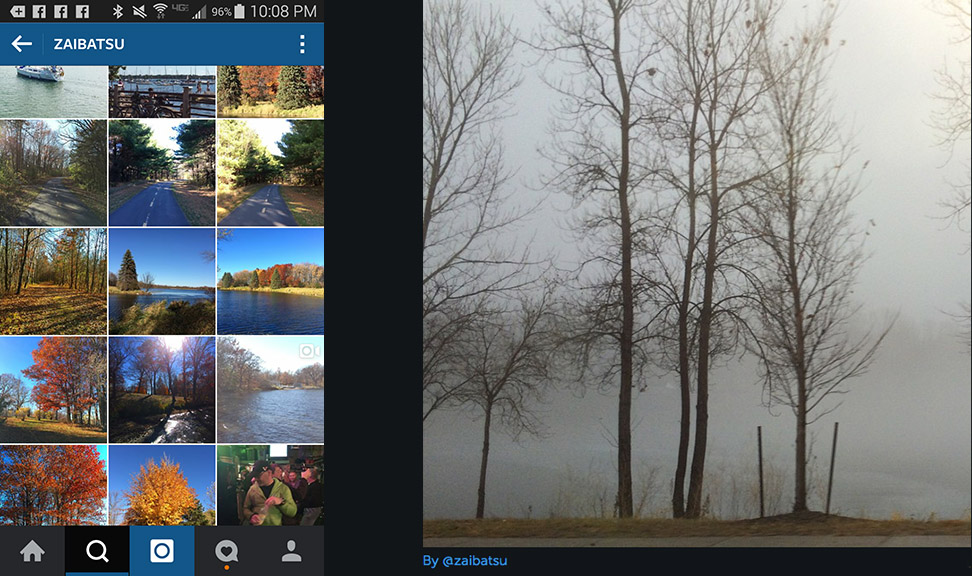
Reg Saddler is an amateur photographer and social media guru, listed on the Forbes list of top people on social media and too many other lists to name. He understands the hows and whys.

Reg Saddler composite

Cheryl Senter is a professional photographer working in New England. I had the pleasure of meeting her here when she visited Seattle two years ago. Her Instagram feed focuses on her amazing dog.

Cheryl Senter composite

Darren Sproat is a Canadian photographer known for his landscapes. He has been featured on the Nokia blog and cultivated a fan base (including me!)—all in awe of his images.

Darren Sproat composite

Thanks to Verizon for the Galaxy Note 4 used for many of the images posted on my own instagram feed: https://instagram.com/terrinakamura/

First-time Kindle User Embraces Change

Bookcase_resized_cropped_SM

I love real books. In my 20s I started to collect contemporary signed first editions and early editions of classics. Books are to graphic designers as buildings are to architects. They are among the few projects a designer can create that has a good chance of outliving them.

The tactile nature of a real book—the paper, the smell, and the graphic design—dust jackets, fonts, format, margins, page numbering system—all contribute to why real books rock!

At home and work we have tablets and computers that are great for consuming online content, but not great for reading long-narrative content. My iPhone and Samsung Galaxy Note 4 (starting at $299 via Verizon), have apps that allow me to read books on them and they work pretty well. So while I’ve checked out Kindles belonging to friends and family members, I’ve never seen the value of owning one.

Until now!

kindlefirehd_sq_resized_sm

Kindle Fire HD – Kids Edition (super-durable case not shown)

Thanks to a great event, #TNTSeattle, sponsored by Techlicious and The Traveling Mom, I became the happy owner of an Amazon Kindle Fire HD!

Mine is the Kids Edition, so it comes with a super sturdy case and 1-year subscription to Freetime. Freetime features a ton of fun content to entertain kids.

There are plenty of books, episodic programs, movies and games to enjoy. The kids edition also includes the ability to restrict content and access, so it means parents can help ensure an appropriate experience for their children.

I’m using the Kindle as an e-reader and tablet, and have to say it’s really quite cool.

Charging the Kindle took about 4 hours. It was simple to set up and easy to add email accounts, my Amazon account, and download some apps.

I own a limited slipcased edition of The Goldfinch, and hadn’t yet read it because I didn’t have a “reader copy.” So I just downloaded an electronic version for the Kindle and have started to read.

So far, the experience has been great. Having recently finished reading a 925-page, hardbound edition of 1Q84 by Haruki Murakami, in comparison, the Kindle is as light as a feather.

A few criticisms: I wish the brightness automatically adjusted to the ambient light; and when hitting the home button, it would be great if the “carousel,” showed the recently used apps and content in a continuous loop. Also, the camera is not the greatest, but if you stop to think about it, do you really need your e-reader to take good photos?

In terms of a good reading device and mini-tablet for an adult to share with a child, the Kindle Fire HD looks to be a great choice.

I’ve noticed commercials recently promoting the Kindle Fire HD starting at $99. Pretty hard to beat that!

Photo of Alki Surf Shop wall, shot with the Kindle Fire HD

Alki Surf Shop wall, shot with the Kindle Fire HD

Alki Surf Shop wall shot with the Samsung Galaxy Note 4

Alki Surf Shop wall shot with the Samsung Galaxy Note 4